> ## Documentation Index
> Fetch the complete documentation index at: https://docs.wayak.io/llms.txt
> Use this file to discover all available pages before exploring further.
# Why Wayak
> An agentic platform for organizations that run on data
Large organizations sit on enormous amounts of data spread across dozens of systems — databases, data warehouses, SaaS tools, file shares, internal wikis. The people who need answers from that data rarely have direct access, and when they do, it takes too long.
Wayak changes that equation. It connects an AI agent to all of your company's data — structured and unstructured — and gives it the business context to navigate that data the way your best people do.
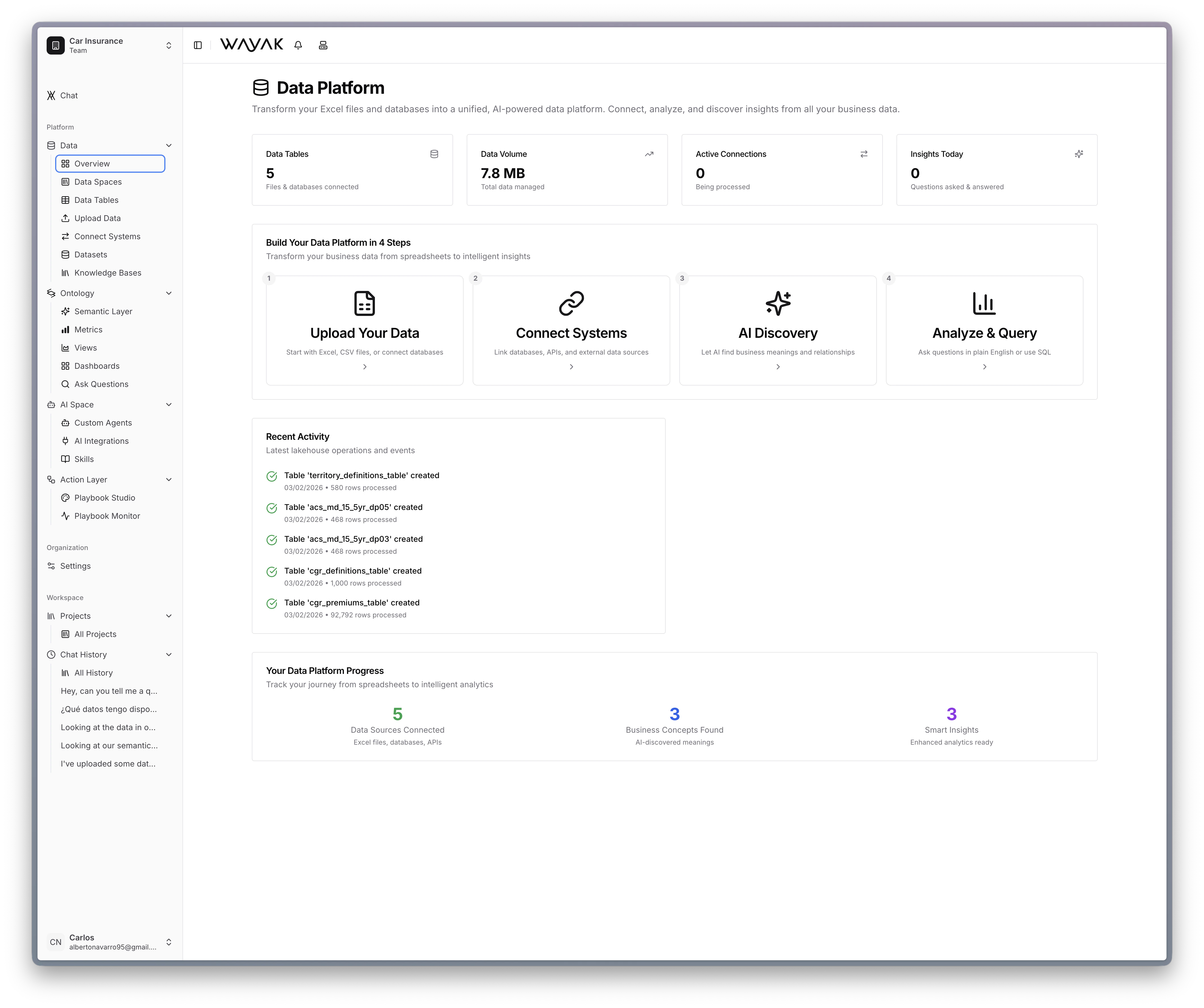 No tickets. No waiting. No SQL. Just ask.
***
## Who Wayak is built for
Spread across multiple databases, APIs, SaaS tools, and document repositories.
Decisions can't wait for a data team backlog.
Recurring reports, alerts, and workflows consume too much manual effort.
Leadership wants AI that creates real operational leverage, not just novelty.
***
## What makes Wayak different
Most AI data tools do one thing — answer a question from a single database. Wayak is a full platform.
Connect every data source your organization uses into one place.
PostgreSQL, MySQL, BigQuery, Snowflake, and more.
Pull data from any REST or GraphQL API.
Upload CSVs, Excel files, and other flat files directly.
Upload PDFs, docs, and presentations for RAG-powered search.
Encode your business logic so the agent answers with precision.
Core entities — customers, orders, products.
Calculations — revenue, churn, conversion.
Attributes — region, status, tier.
Specific instances and identity resolution.
Charts and tables for specific data slices.
Collections of views on a single page.
Build specialized agents that know your data and execute tasks.
Define personas with specific roles, goals, and behaviors.
Procedural instructions that teach agents how to do tasks.
Connect agents to the tools your team already uses.
Browse agent and skill examples by industry.
Automate repeatable work with multi-step workflows.
Understand how playbooks chain skills and logic together.
Build your first automated workflow step by step.
The building blocks — triggers, actions, conditions, and outputs.
***
## The platform at a glance
```mermaid placement="center" theme={null}
flowchart TB
team[Your Team] --> agents[AI Agents]
subgraph intelligence[Intelligence Layer]
direction LR
ontology[Ontology\nMetrics · Terms · Joins]
playbooks[Playbooks\nAutomated Workflows]
skills[Skills\nReusable Actions]
end
agents --> intelligence
subgraph data[Data Platform]
direction LR
db[Databases]
api[APIs]
lake[Lakehouse]
kb[Knowledge Bases]
end
intelligence --> data
```
Start with the [quickstart](/quickstart) to get hands-on, or explore any section above to go deeper.
No tickets. No waiting. No SQL. Just ask.
***
## Who Wayak is built for
Spread across multiple databases, APIs, SaaS tools, and document repositories.
Decisions can't wait for a data team backlog.
Recurring reports, alerts, and workflows consume too much manual effort.
Leadership wants AI that creates real operational leverage, not just novelty.
***
## What makes Wayak different
Most AI data tools do one thing — answer a question from a single database. Wayak is a full platform.
Connect every data source your organization uses into one place.
PostgreSQL, MySQL, BigQuery, Snowflake, and more.
Pull data from any REST or GraphQL API.
Upload CSVs, Excel files, and other flat files directly.
Upload PDFs, docs, and presentations for RAG-powered search.
Encode your business logic so the agent answers with precision.
Core entities — customers, orders, products.
Calculations — revenue, churn, conversion.
Attributes — region, status, tier.
Specific instances and identity resolution.
Charts and tables for specific data slices.
Collections of views on a single page.
Build specialized agents that know your data and execute tasks.
Define personas with specific roles, goals, and behaviors.
Procedural instructions that teach agents how to do tasks.
Connect agents to the tools your team already uses.
Browse agent and skill examples by industry.
Automate repeatable work with multi-step workflows.
Understand how playbooks chain skills and logic together.
Build your first automated workflow step by step.
The building blocks — triggers, actions, conditions, and outputs.
***
## The platform at a glance
```mermaid placement="center" theme={null}
flowchart TB
team[Your Team] --> agents[AI Agents]
subgraph intelligence[Intelligence Layer]
direction LR
ontology[Ontology\nMetrics · Terms · Joins]
playbooks[Playbooks\nAutomated Workflows]
skills[Skills\nReusable Actions]
end
agents --> intelligence
subgraph data[Data Platform]
direction LR
db[Databases]
api[APIs]
lake[Lakehouse]
kb[Knowledge Bases]
end
intelligence --> data
```
Start with the [quickstart](/quickstart) to get hands-on, or explore any section above to go deeper.