> ## Documentation Index
> Fetch the complete documentation index at: https://docs.wayak.io/llms.txt
> Use this file to discover all available pages before exploring further.

# Agent space

> Configure AI agents that work with your data and tools

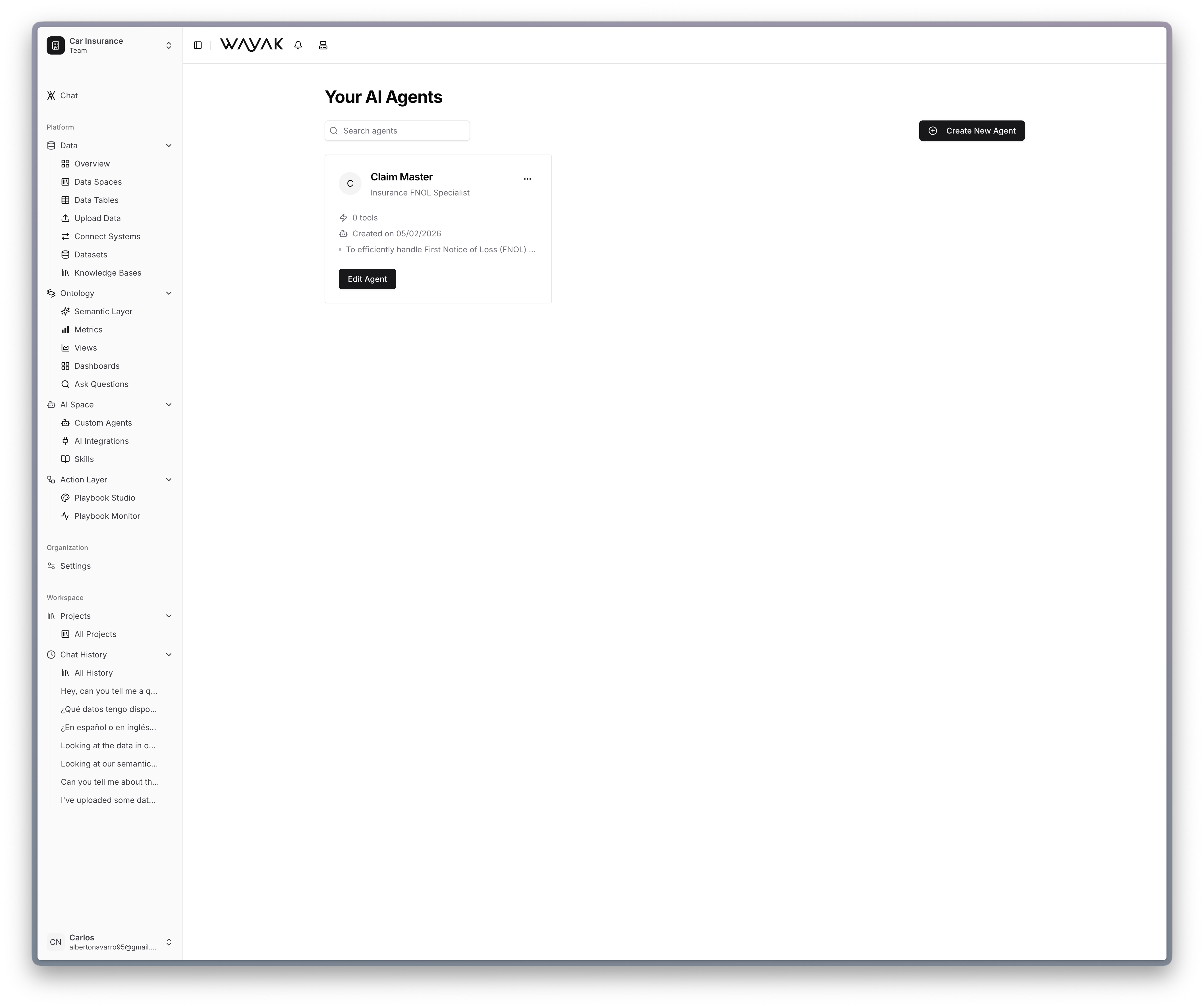
The agent space is where you configure the AI agents that interact with your data, your team, and your tools. Wayak agents are more than chatbots — they understand your ontology, connect to your apps, and execute skills you define.

<Frame caption="Create and manage custom agents in the agent space">
  <img src="https://mintcdn.com/wayak/SyWPcqQONHnC0uoc/app-screenshots/Custom%20Agents.png?fit=max&auto=format&n=SyWPcqQONHnC0uoc&q=85&s=7d715d2de6842bb6030f8de6e2a7f49e" alt="Wayak custom agents interface" width="4236" height="3548" data-path="app-screenshots/Custom Agents.png" />
</Frame>

***

## What's in the agent space

<CardGroup cols={2}>
  <Card title="Custom agents" icon="robot" href="/concepts/agents/custom-agents">
    Define AI personas with specific roles, goals, and behavioral guidelines. Each agent is scoped to the data and tools it needs.
  </Card>

  <Card title="Skills" icon="wand-magic-sparkles" href="/concepts/agents/skills">
    Write procedural instructions that teach agents how to perform specific tasks — step by step, in plain language.
  </Card>

  <Card title="App integrations" icon="plug" href="/concepts/agents/app-integrations">
    Connect agents to the tools your team already uses — Slack, email, CRMs, and more.
  </Card>

  <Card title="Examples" icon="lightbulb" href="/concepts/agents/examples">
    Browse concrete agent and skill examples for manufacturing, customer service, insurance, and more.
  </Card>
</CardGroup>

***

## How agents use the platform

Every agent in Wayak draws on four layers to do its work:

<Steps>
  <Step title="Data sources" icon="database">
    Query databases, APIs, and uploaded files. The agent has direct access to your structured data and can run queries against it.
  </Step>

  <Step title="Knowledge bases" icon="book-open">
    Search and read unstructured documents — PDFs, reports, presentations, internal docs. The agent finds relevant passages and cites them.
  </Step>

  <Step title="Ontology" icon="brain">
    Understand your business metrics, terminology, and relationships. The ontology tells the agent what "revenue" means and how to compute it.
  </Step>

  <Step title="Skills" icon="wand-magic-sparkles">
    Execute defined actions and workflows. Skills give agents the procedural knowledge to do things — not just answer questions.
  </Step>
</Steps>

<Info>The combination of data access, business understanding, and actionable skills is what makes Wayak agents agentic — they don't just answer questions, they get things done.</Info>

***

## Agents vs. skills at a glance

<Columns cols={2}>
  <div>
    ### Custom agents <Badge color="blue">Who</Badge>

    A persona definition — name, role, goal, tone, and behavioral guidelines. Determines *how* the agent acts and *what data* it can see.

    <Card title="Learn more" icon="arrow-right" href="/concepts/agents/custom-agents" horizontal />
  </div>

  <div>
    ### Skills <Badge color="green">What</Badge>

    Procedural instructions in markdown — trigger, steps, and output. Determines *what tasks* an agent can perform. Reusable across agents.
    <Card title="Learn more" icon="arrow-right" href="/concepts/agents/skills" horizontal />
  </div>
</Columns>
