> ## Documentation Index
> Fetch the complete documentation index at: https://docs.wayak.io/llms.txt
> Use this file to discover all available pages before exploring further.
# Data lakehouse
> Wayak's built-in storage for uploading and querying structured files
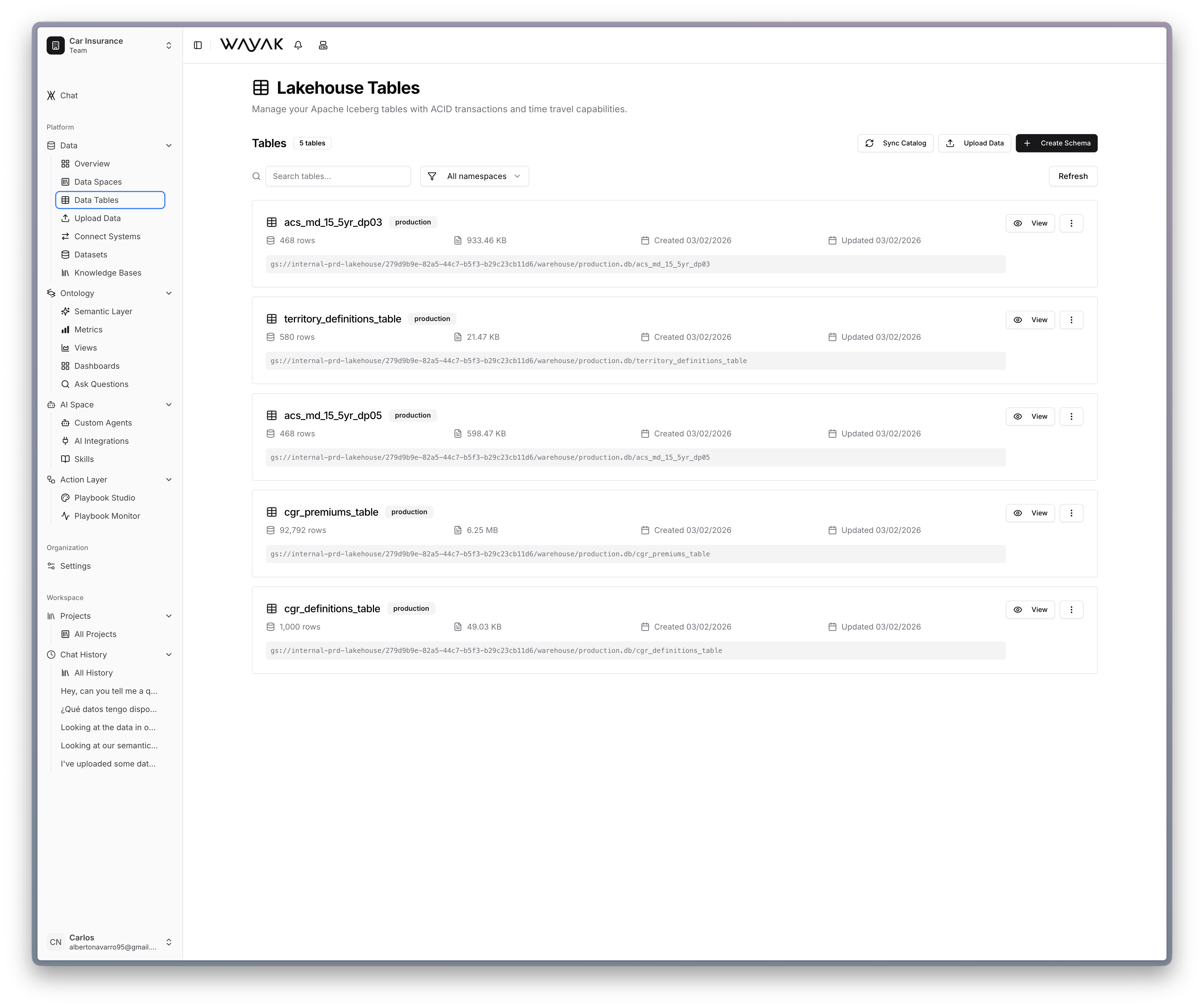
The data lakehouse is Wayak's built-in storage layer. Upload Excel files, CSVs, and other structured documents directly — no external database required. Once uploaded, your files become queryable tables that the agent can access just like any other data source.
 ## What you can upload
* Excel files (`.xlsx`, `.xls`)
* CSV files (`.csv`)
* Any structured, tabular document
## How it works
1. Upload a file through the Wayak dashboard
2. Wayak parses the file, infers column types, and creates a queryable table
3. The agent can query it immediately — no configuration needed
The lakehouse is the fastest way to get data into Wayak. If you have a spreadsheet, you can be chatting with it in under a minute.
## What you can upload
* Excel files (`.xlsx`, `.xls`)
* CSV files (`.csv`)
* Any structured, tabular document
## How it works
1. Upload a file through the Wayak dashboard
2. Wayak parses the file, infers column types, and creates a queryable table
3. The agent can query it immediately — no configuration needed
The lakehouse is the fastest way to get data into Wayak. If you have a spreadsheet, you can be chatting with it in under a minute.