> ## Documentation Index
> Fetch the complete documentation index at: https://docs.wayak.io/llms.txt
> Use this file to discover all available pages before exploring further.
# Metrics
> Define the calculations and KPIs your team relies on
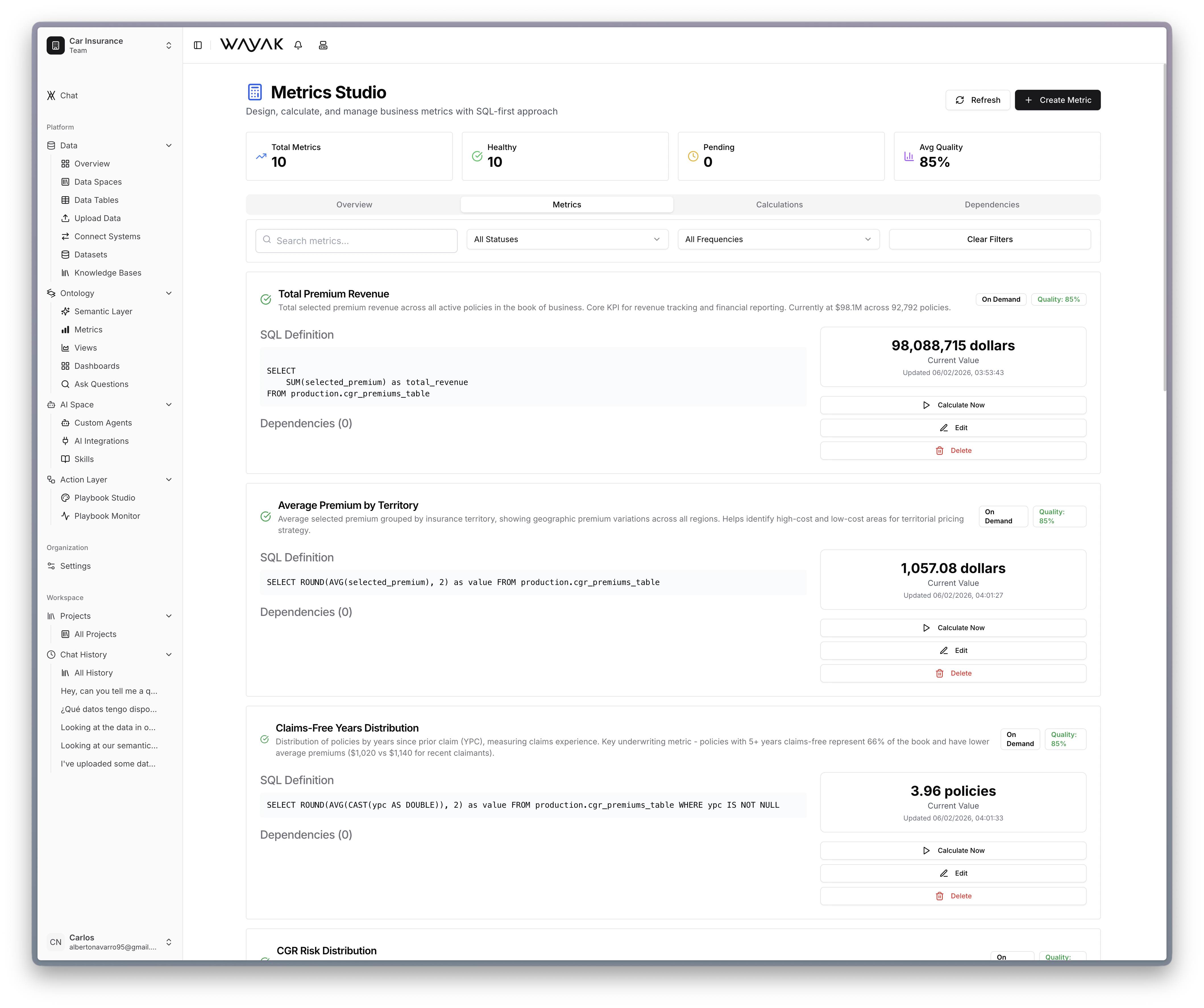
Metrics are the measurements your business runs on — revenue, churn rate, conversion, active users, average order value. In Wayak's ontology, a metric is a precise calculation definition that the agent uses every time someone asks about that measurement.
 ## Why define metrics
Without defined metrics, the agent has to guess how to calculate "revenue." It might sum the wrong column, miss a filter, or use a different aggregation than your team expects. Defined metrics eliminate that ambiguity.
Every time someone asks about a metric, the agent uses the exact same formula. Same question, same answer, every time.
## Anatomy of a metric
A metric definition includes:
| Component | Description | Example |
| ---------------- | -------------------------------- | --------------- |
| **Name** | What your team calls it | "Revenue" |
| **Source table** | Where the raw data lives | `transactions` |
| **Aggregation** | How to compute it | SUM |
| **Column** | What to aggregate | `amount_usd` |
| **Filters** | Conditions that scope the metric | `type = 'sale'` |
| **Time grain** | Default time granularity | Monthly |
## Composing metrics
Metrics can build on each other. For example:
* **Revenue** = `SUM(amount_usd) WHERE type = 'sale'`
* **Cost** = `SUM(amount_usd) WHERE type = 'expense'`
* **Profit** = Revenue - Cost
* **Margin** = Profit / Revenue
The agent understands these dependencies and computes derived metrics correctly.
## Metrics vs. dimensions
Metrics are *what you measure*. Dimensions are *how you slice it*. They work together:
* "**Revenue** by **region** for **last quarter**"
* Revenue = metric
* Region = dimension
* Last quarter = time filter
## Why define metrics
Without defined metrics, the agent has to guess how to calculate "revenue." It might sum the wrong column, miss a filter, or use a different aggregation than your team expects. Defined metrics eliminate that ambiguity.
Every time someone asks about a metric, the agent uses the exact same formula. Same question, same answer, every time.
## Anatomy of a metric
A metric definition includes:
| Component | Description | Example |
| ---------------- | -------------------------------- | --------------- |
| **Name** | What your team calls it | "Revenue" |
| **Source table** | Where the raw data lives | `transactions` |
| **Aggregation** | How to compute it | SUM |
| **Column** | What to aggregate | `amount_usd` |
| **Filters** | Conditions that scope the metric | `type = 'sale'` |
| **Time grain** | Default time granularity | Monthly |
## Composing metrics
Metrics can build on each other. For example:
* **Revenue** = `SUM(amount_usd) WHERE type = 'sale'`
* **Cost** = `SUM(amount_usd) WHERE type = 'expense'`
* **Profit** = Revenue - Cost
* **Margin** = Profit / Revenue
The agent understands these dependencies and computes derived metrics correctly.
## Metrics vs. dimensions
Metrics are *what you measure*. Dimensions are *how you slice it*. They work together:
* "**Revenue** by **region** for **last quarter**"
* Revenue = metric
* Region = dimension
* Last quarter = time filter