> ## Documentation Index
> Fetch the complete documentation index at: https://docs.wayak.io/llms.txt
> Use this file to discover all available pages before exploring further.
# What is Wayak?
> The agentic data and automation platform
Wayak is an agentic data and automation platform. Connect all your company's data, talk to it in plain language, and automate the work that keeps your teams busy.
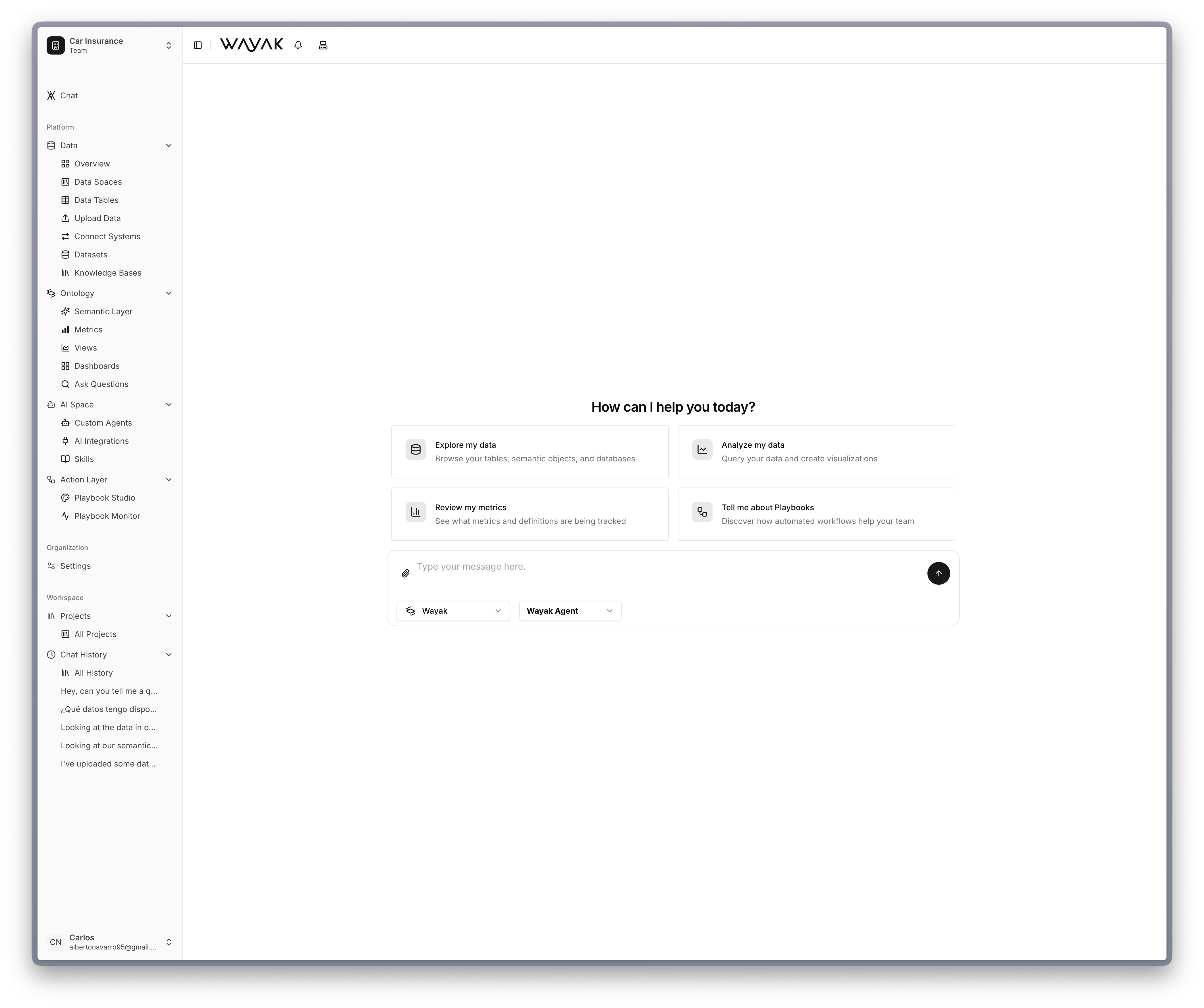 Databases, APIs, files, documents — bring it all into one place.
Ask questions in plain language. Get answers backed by real data.
Turn repeatable work into automated workflows that run on their own.
***
## How it works
Bring in everything — databases, APIs, spreadsheets, PDFs, internal docs. Wayak connects to your data wherever it lives. Upload a CSV or plug in a data warehouse — it all works the same way.
Define your business metrics, terminology, and relationships in the ontology. The agent learns what "revenue" means, how to calculate churn, and which tables to join — so it answers with the same precision as your best analyst.
Ask questions in plain language and get answers from your actual data. No SQL. No tickets. No waiting for the data team. Just ask.
Build playbooks that generate reports, send alerts, and run workflows on a schedule — so the work gets done without anyone having to ask.
***
## Why Wayak
Databases, APIs, files, documents — bring it all into one place.
Ask questions in plain language. Get answers backed by real data.
Turn repeatable work into automated workflows that run on their own.
***
## How it works
Bring in everything — databases, APIs, spreadsheets, PDFs, internal docs. Wayak connects to your data wherever it lives. Upload a CSV or plug in a data warehouse — it all works the same way.
Define your business metrics, terminology, and relationships in the ontology. The agent learns what "revenue" means, how to calculate churn, and which tables to join — so it answers with the same precision as your best analyst.
Ask questions in plain language and get answers from your actual data. No SQL. No tickets. No waiting for the data team. Just ask.
Build playbooks that generate reports, send alerts, and run workflows on a schedule — so the work gets done without anyone having to ask.
***
## Why Wayak
### Unified data access
Connect every data source your organization uses — databases, APIs, file uploads, and unstructured documents — into one platform. No more switching between tools to get a complete picture.
### Business-grade accuracy
The ontology encodes your business logic so the agent computes metrics, joins tables, and interprets terminology correctly — every time. No hallucinated numbers.
### Agents that act
Wayak agents don't just answer questions. They connect to your tools, execute skills, and work across your entire data estate. Build specialized agents for each team.
### Automation at scale
Playbooks turn repeatable work into automated workflows — reports, alerts, data checks, onboarding flows — running reliably without manual effort.
***
## Explore the platform
Jump right in with a hands-on tutorial.
Connect a data source and ask your first question in minutes.
Walk through a full data conversation from start to finish.
Define metrics, entities, and relationships the agent can use.
Create a playbook that generates and delivers a report on schedule.
Learn how the platform is designed and why.
Databases, APIs, the lakehouse, and knowledge bases.
Objects, metrics, dimensions, and the semantic layer.
Custom agents, skills, and app integrations.
Automated workflows that chain skills and logic together.
Explore how teams in different industries use Wayak.
Production costs, quality, shift performance.
Email drafting, ticket classification, customer insights.
Claims intake, reserves, fraud detection.
Recruiting, onboarding, policy support.
Inventory, promotions, product assortment.
Route optimization, shipment tracking, exceptions.