> ## Documentation Index
> Fetch the complete documentation index at: https://docs.wayak.io/llms.txt
> Use this file to discover all available pages before exploring further.
# Quickstart
> Get your data connected and your first agent conversation running
Get Wayak up and running in three steps: connect a data source, set up a knowledge space, and ask your first question.
***
Start by connecting your first data source. This gives the agent access to your structured data.
1. Navigate to **Data Sources** in the Wayak dashboard
2. Choose your connection type — database, API, or file upload
3. Enter your connection details and test the connection
4. Wayak automatically introspects your schema
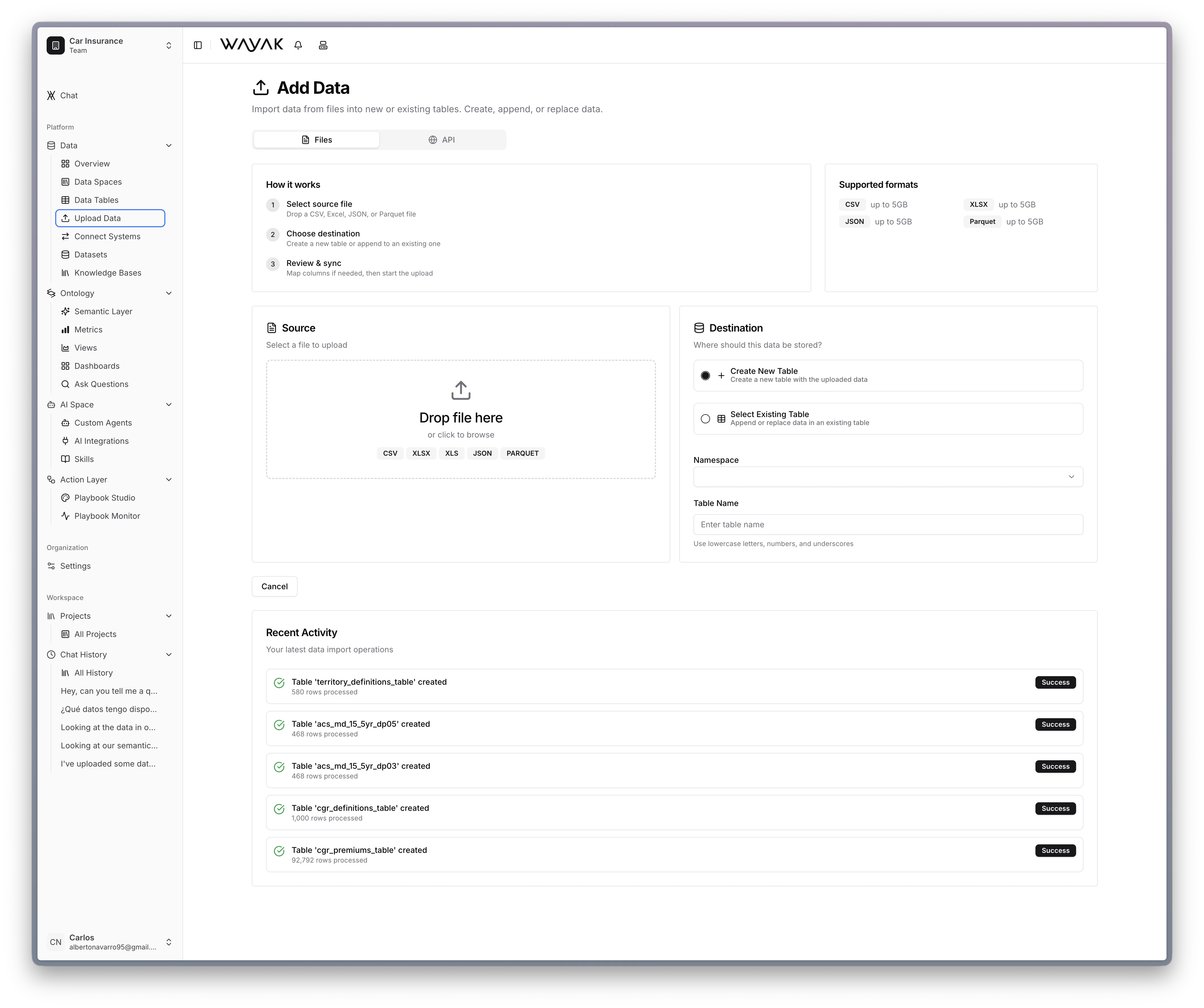 The built-in lakehouse is the fastest way to get started — just drag and drop a CSV or Excel file.
Upload your unstructured documents so the agent can search and read them.
1. Navigate to **Knowledge Spaces** in the dashboard
2. Create a new knowledge space and give it a name
3. Upload your documents (PDFs, reports, presentations, etc.)
4. Wayak indexes the content automatically
Your documents are now searchable by the agent. It can find specific passages, summarize content, and answer questions grounded in your actual docs.
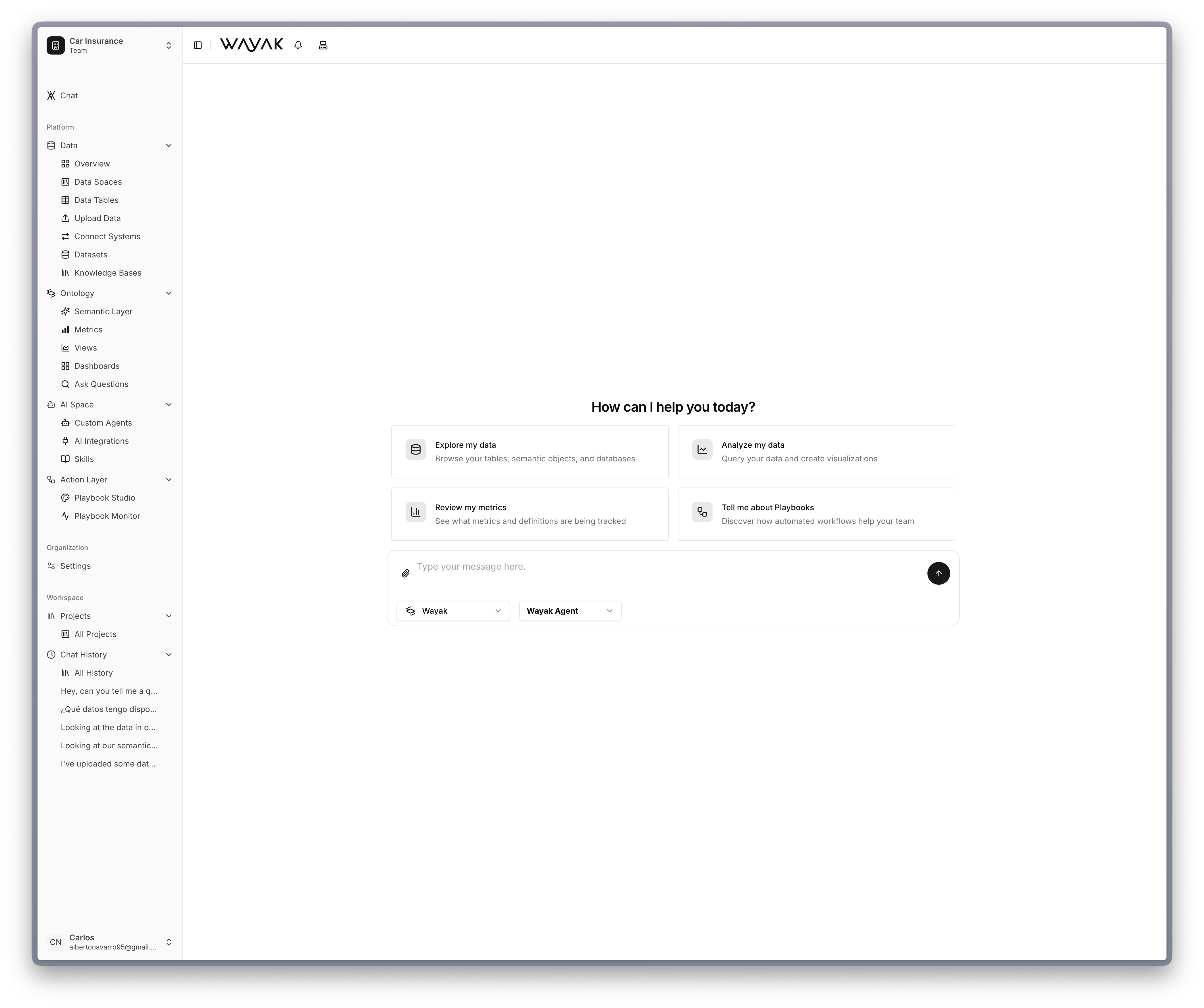
Open the Wayak chat and ask a question about your data. The agent uses your connected data sources, knowledge spaces, and semantic layer to find the answer.
The built-in lakehouse is the fastest way to get started — just drag and drop a CSV or Excel file.
Upload your unstructured documents so the agent can search and read them.
1. Navigate to **Knowledge Spaces** in the dashboard
2. Create a new knowledge space and give it a name
3. Upload your documents (PDFs, reports, presentations, etc.)
4. Wayak indexes the content automatically
Your documents are now searchable by the agent. It can find specific passages, summarize content, and answer questions grounded in your actual docs.
Open the Wayak chat and ask a question about your data. The agent uses your connected data sources, knowledge spaces, and semantic layer to find the answer.
 Try something like:
* "What were our top 10 customers by revenue last quarter?"
* "How many new accounts were created this month?"
* "Show me the average order value by region for the past 6 months"
* "Summarize the key points from the Q3 board deck"
* "What does our expense policy say about international travel?"
* "Find any mention of pricing changes in the sales playbook"
* "Break that down by quarter"
* "Which of those customers churned?"
* "Show me a chart instead"
***
## Keep going
Walk through a full data conversation from start to finish.
Define metrics, entities, and relationships the agent can use.
Create a playbook that generates and delivers a report on schedule.
Learn about databases, APIs, the lakehouse, and knowledge bases.
Understand objects, metrics, dimensions, and the semantic layer.
Build custom agents with specific roles, skills, and data access.
Automate workflows that chain skills and logic together.
Try something like:
* "What were our top 10 customers by revenue last quarter?"
* "How many new accounts were created this month?"
* "Show me the average order value by region for the past 6 months"
* "Summarize the key points from the Q3 board deck"
* "What does our expense policy say about international travel?"
* "Find any mention of pricing changes in the sales playbook"
* "Break that down by quarter"
* "Which of those customers churned?"
* "Show me a chart instead"
***
## Keep going
Walk through a full data conversation from start to finish.
Define metrics, entities, and relationships the agent can use.
Create a playbook that generates and delivers a report on schedule.
Learn about databases, APIs, the lakehouse, and knowledge bases.
Understand objects, metrics, dimensions, and the semantic layer.
Build custom agents with specific roles, skills, and data access.
Automate workflows that chain skills and logic together.